Your sermons curated, auto-saved and exportable
Every session becomes a Journey you can revisit, organize, and reuse. Search, export to PDF, copy as text or Markdown, or share as a message card-and build your spiritual library.
- check_circleAuto-saved from every session
- check_circleSearch by verse, topic, or date
- check_circleTwo PDF exports-Premium Design (dark) or Printer Friendly (saves ink)
- check_circleCopy as formatted text or Markdown-for Email, Word, Notion, Obsidian
- check_circleMessage cards-shareable, CiteVerse-branded image for social
- check_circleOne library across all modes
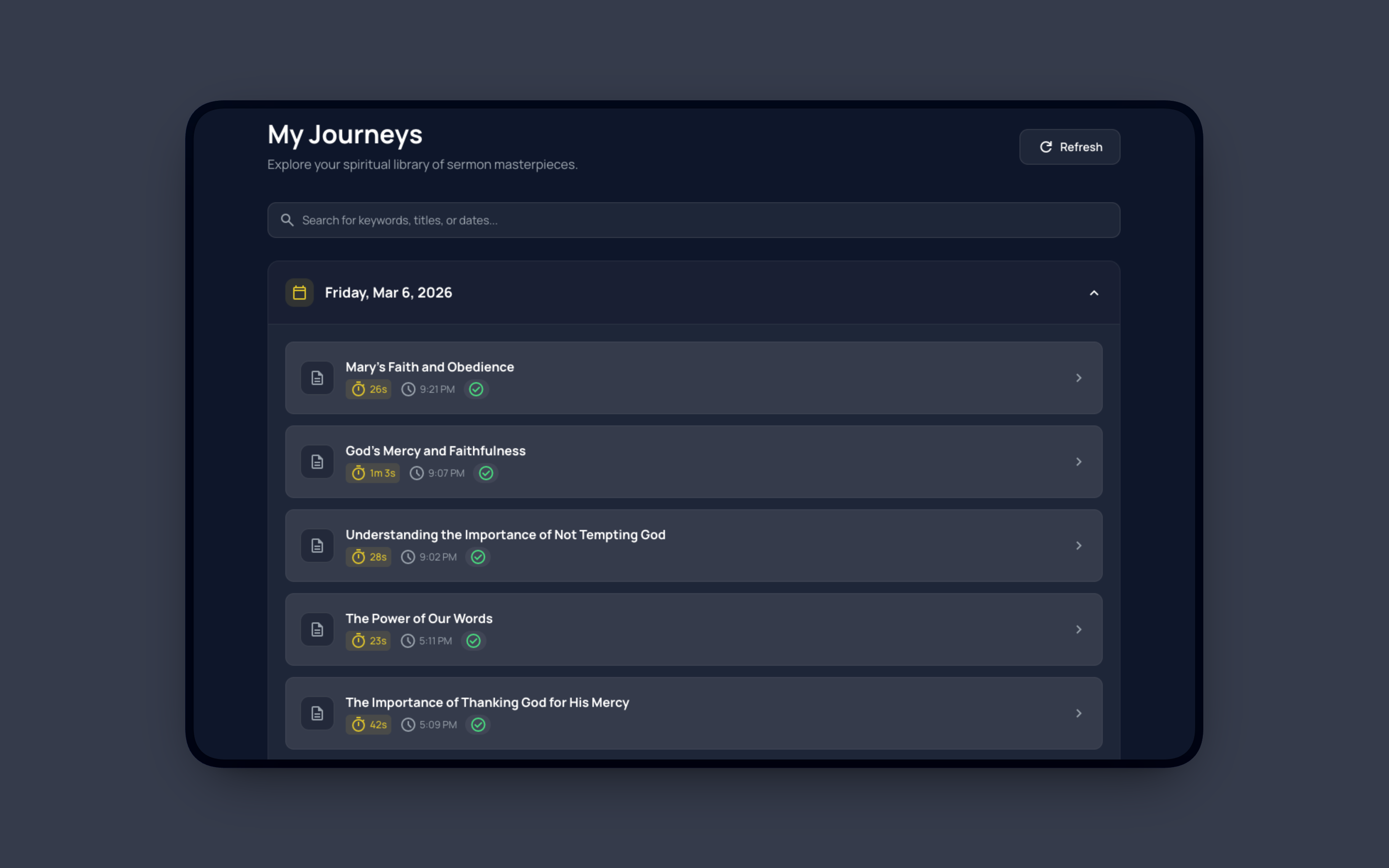
Your spiritual library. Search, open any Journey, then export, copy, or share as a card.
How Journeys Work
Three simple steps to your spiritual library
Use Any Mode
Prep with AI Assistant, present with Presenter Mode, or go live with the extension. Every session is captured.
Auto-Saved
Every session becomes a Journey with date and title. No extra steps.
Search & Export
Find by verse or topic. Export to Premium or Printer Friendly PDF, copy as formatted text or Markdown, or save as a message card.
Why Keep a Sermon Library?
Never lose a thought. Prep faster. Share when it matters.
Never Lose a Thought
Every cited verse and flow is saved. Revisit any sermon or study with one search.
Prep Faster Next Time
Search past sermons by verse or theme. Build on what you taught before.
Share or Archive
Export to Premium Design or Printer Friendly PDF, copy as formatted text or Markdown for docs and notes, or create a message card for social sharing.
Export, Copy, or Share
Three ways to take your curated sermon anywhere
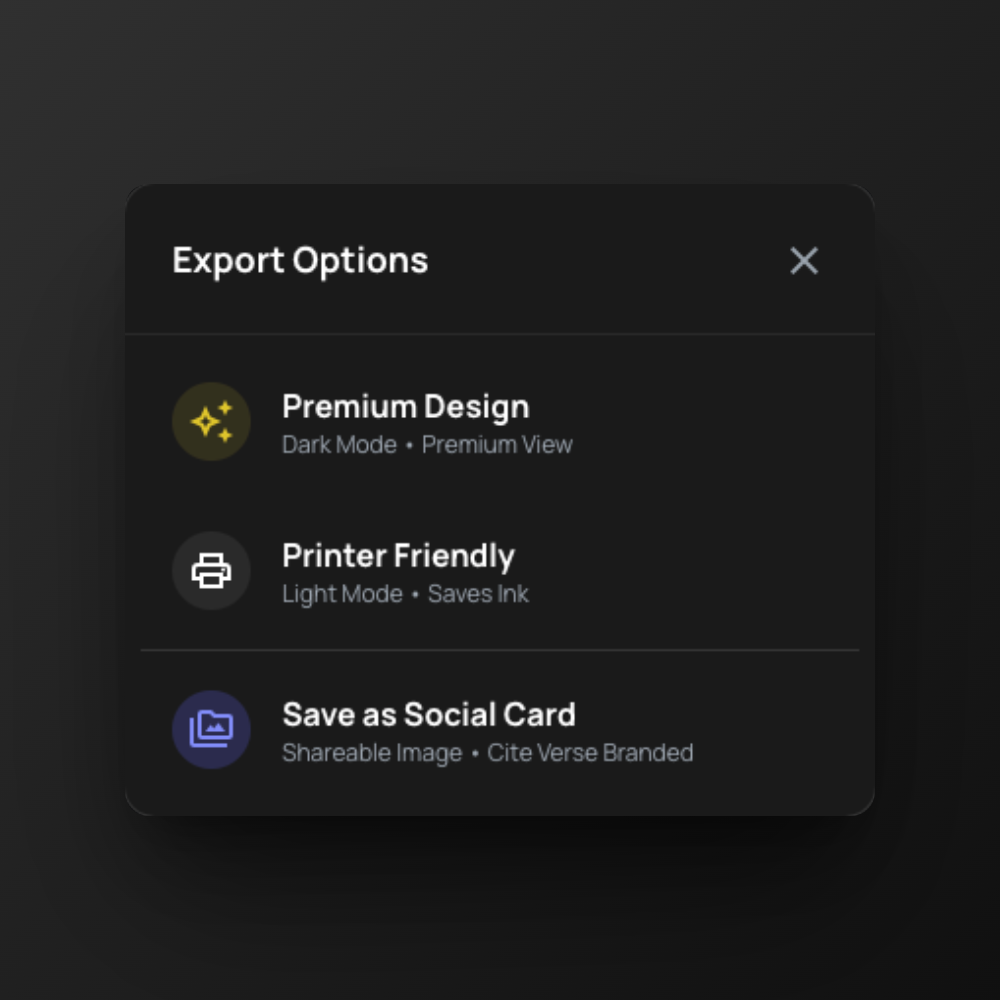
Two PDFs + Social Card
Premium Design-dark mode, premium view. Printer Friendly-light mode, saves ink. Or save as a shareable social card (CiteVerse branded).
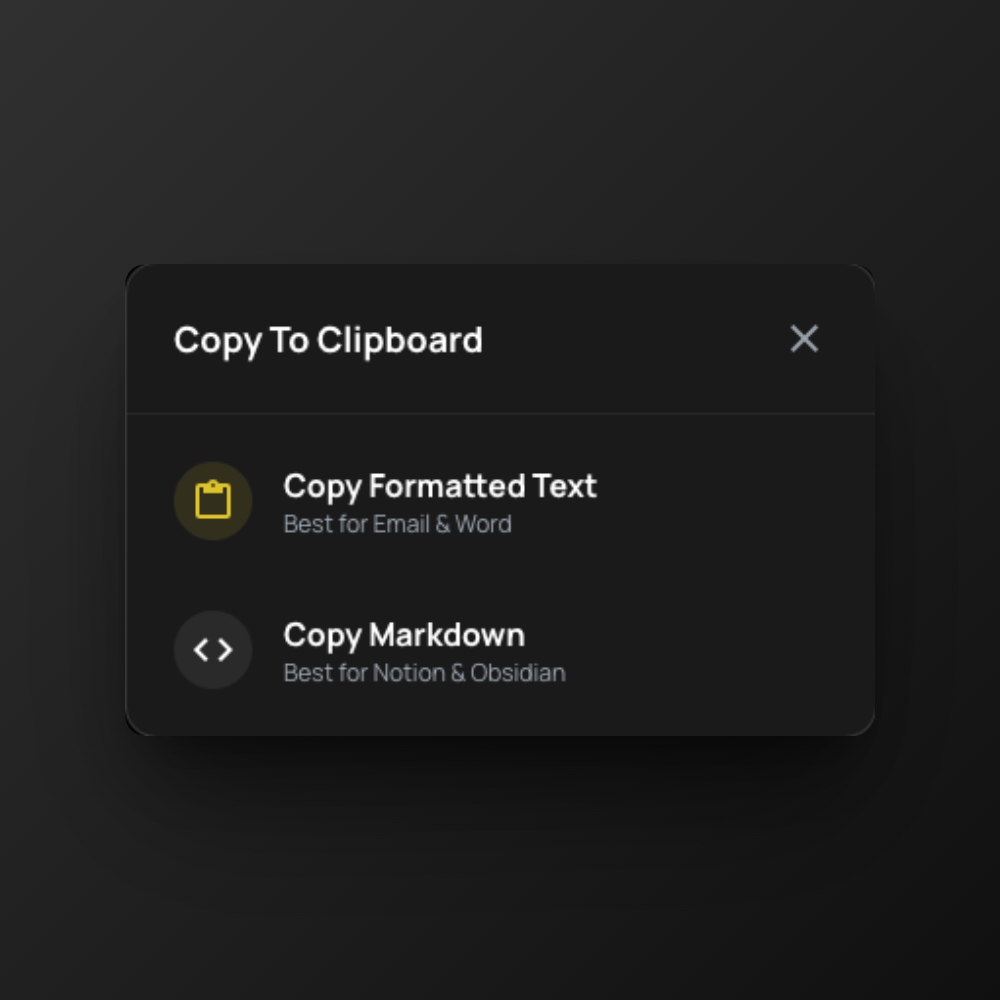
Copy Formatted or Markdown
Copy Formatted Text-best for Email & Word. Copy Markdown-best for Notion & Obsidian. One tap, paste anywhere.
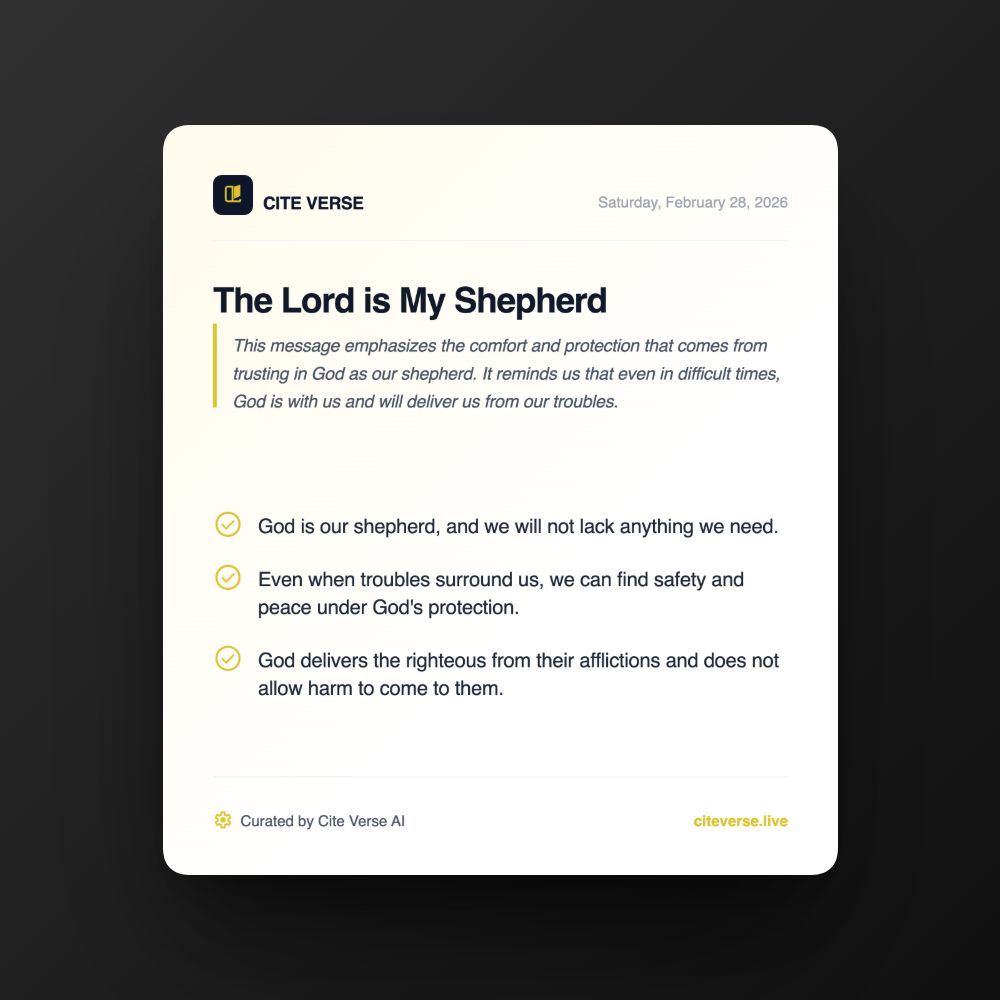
Message Cards
Turn a Journey into a shareable message card-title, summary, key points, and CiteVerse branding. Perfect for social and follow-up.
Built for Everyone
Everything you need to curate and reuse your teaching-solo or with others
Auto-save
Every session becomes a Journey automatically.
Search by verse
Find journeys that reference any passage.
Search by topic
Discover past sermons by theme or keyword.
Premium PDF
Dark mode, premium view-ideal for digital sharing.
Printer Friendly PDF
Light mode, saves ink-ideal for handouts.
Copy formatted or Markdown
For Word, Email, Notion, Obsidian-paste anywhere.
Message card
Shareable image, CiteVerse branded, for social.
Preferred Bible version
Keep scripture in the Bible version chosen for that session.
One library
AI Assistant, Presenter Mode, and Live-all in one.
Part of the Same Platform
Journeys work with every mode you use
Journeys
You're here
- check_circleAuto-saved sessions
- check_circleSearch & export
AI Assistant
Sermon prep
- check_circleVoice-driven verse lookup
- check_circleSessions become Journeys
Start Building Your Library
Every session becomes a Journey. Free on all plans.
Get started freeNo credit card required. Start in under 60 seconds.